GuidesOnline vs Desktop Audio Editors: Which Should You Choose?
Compare online and desktop audio editing software. Learn the pros and cons of each approach and discover which type of audio editor is best for your needs.
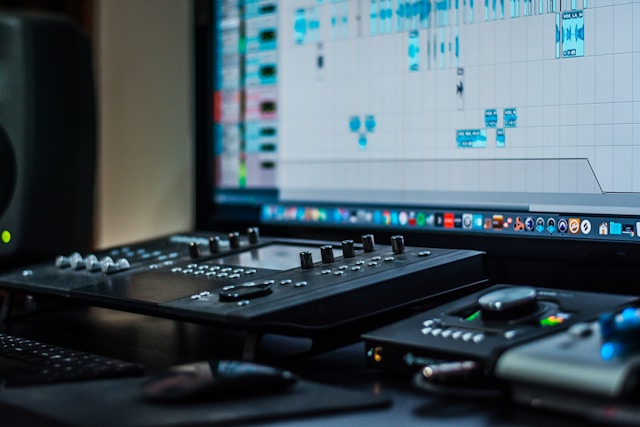
Choosing between online and desktop audio editing software can significantly impact your workflow, productivity, and results. This comprehensive comparison will help you understand the strengths and limitations of each approach, so you can make an informed decision for your audio editing needs.
The Evolution of Audio Editing
Audio editing has come a long way from the days of physical tape splicing. Today, we have two main categories of digital audio editing tools:
Traditional Desktop Software
Desktop audio editors have been the standard for decades, offering powerful features and professional capabilities. These applications run natively on your computer and provide comprehensive audio editing and production tools.
Modern Online Editors
Online audio editors represent the new generation of web-based tools that run directly in your browser. They leverage modern web technologies to provide professional-grade editing capabilities without requiring software installation.
Desktop Audio Editors: Comprehensive Analysis
Advantages of Desktop Software
Professional Features
- Advanced Multi-track Editing: Handle complex projects with dozens of tracks
- Extensive Plugin Support: VST, AU, and AAX plugin compatibility
- Professional Mixing Consoles: Advanced routing and mixing capabilities
- MIDI Integration: Full MIDI sequencing and instrument support
- Surround Sound: Multi-channel audio editing and mixing
Performance Benefits
- Raw Processing Power: Direct access to system resources
- Large File Handling: Work with hours of high-resolution audio
- Real-time Processing: Low-latency monitoring and effects
- Offline Capability: Work without internet connection
- Custom Hardware: Support for professional audio interfaces
Industry Standards
- Professional Workflows: Used in major studios worldwide
- Collaboration Standards: Project file compatibility
- Advanced Automation: Complex parameter automation
- Precision Editing: Sample-accurate editing capabilities
Disadvantages of Desktop Software
Accessibility Barriers
- High Cost: Professional software can cost hundreds or thousands of dollars
- Learning Curve: Complex interfaces require significant training
- System Requirements: Demanding hardware specifications
- Installation Complexity: Setup and configuration challenges
Workflow Limitations
- Platform Dependency: Tied to specific operating systems
- Version Management: Software updates and compatibility issues
- File Management: Complex project file structures
- Collaboration Challenges: Sharing projects between different systems
Online Audio Editors: Modern Solutions
Advantages of Web-Based Editing
Accessibility and Convenience
- No Installation Required: Start editing immediately
- Cross-Platform Compatibility: Works on any device with a browser
- Always Updated: Automatic updates with latest features
- Lower System Requirements: Reduced hardware demands
- Instant Access: No software licensing or activation
Modern Workflow Benefits
- Cloud Integration: Easy file sharing and collaboration
- Mobile Compatibility: Edit on tablets and smartphones
- Consistent Experience: Same interface across all devices
- Quick Sharing: Direct export to social platforms
- Cost-Effective: Often free or low-cost subscription models
Technical Innovations
- Web Audio API: Professional-grade audio processing
- Real-time Collaboration: Multiple users editing simultaneously
- Automatic Backups: Cloud-based project saving
- Format Flexibility: Support for multiple audio formats
- Privacy-First: Client-side processing keeps files secure
Limitations of Online Editors
Feature Constraints
- Limited Multi-tracking: Fewer simultaneous tracks
- Plugin Restrictions: Limited third-party plugin support
- Processing Limitations: Browser-imposed memory and CPU limits
- Advanced Features: Fewer professional production tools
Technical Dependencies
- Internet Required: Need stable internet connection
- Browser Limitations: Dependent on browser capabilities
- File Size Limits: Restrictions on large file processing
- Performance Variability: Depends on device and browser performance
Feature Comparison Matrix
Basic Editing Capabilities
| Feature | Desktop Editors | Online Editors | |---------|----------------|----------------| | Cut/Trim Audio | ✅ Excellent | ✅ Excellent | | Volume Adjustment | ✅ Advanced | ✅ Good | | Noise Reduction | ✅ Professional | ✅ Basic to Good | | Format Support | ✅ Extensive | ✅ Major Formats | | Metadata Editing | ✅ Comprehensive | ✅ Basic to Good |
Advanced Features
| Feature | Desktop Editors | Online Editors | |---------|----------------|----------------| | Multi-track Editing | ✅ Unlimited | ⚠️ Limited | | Plugin Support | ✅ Extensive | ❌ Minimal | | MIDI Sequencing | ✅ Full Support | ❌ Limited | | Surround Sound | ✅ Professional | ❌ Stereo Only | | Automation | ✅ Advanced | ⚠️ Basic |
Workflow Factors
| Aspect | Desktop Editors | Online Editors | |--------|----------------|----------------| | Setup Time | ❌ Hours/Days | ✅ Immediate | | Learning Curve | ❌ Steep | ✅ Gentle | | Collaboration | ⚠️ Complex | ✅ Easy | | Cost | ❌ High | ✅ Low/Free | | Portability | ❌ Limited | ✅ Excellent |
Use Case Recommendations
Choose Desktop Editors For:
Professional Music Production
- Multi-instrument recordings
- Complex arrangements and compositions
- Professional mixing and mastering
- Album production projects
Podcast Production Companies
- Multi-host shows with complex editing
- Professional post-production workflows
- Batch processing of multiple episodes
- Integration with professional equipment
Audio Post-Production
- Film and video soundtrack work
- Commercial audio production
- Sound design and foley work
- Broadcast and radio production
Choose Online Editors For:
Content Creators
- Podcasters: Simple editing and cleanup tasks
- YouTubers: Quick audio enhancement for videos
- Social Media: Preparing audio for posts and stories
- Bloggers: Creating audio content and voice-overs
Educational Use
- Students: Learning audio editing basics
- Teachers: Classroom demonstrations and projects
- Training: Corporate and educational content creation
- Workshops: Group learning environments
Quick Tasks
- File Conversion: Format changes and basic processing
- Simple Edits: Cutting, trimming, and basic cleanup
- Volume Adjustment: Level optimization and normalization
- Metadata Editing: MP3 tag updates and organization
Hybrid Workflows: Best of Both Worlds
Many professionals use both types of tools strategically:
Complementary Usage
- Online for Quick Tasks: Simple edits and format conversions
- Desktop for Complex Projects: Multi-track production and advanced processing
- Mobile for Field Work: On-the-go editing and review
- Collaboration: Online tools for team projects
Workflow Integration
- Capture: Record with professional equipment
- Quick Edit: Use online tools for immediate cleanup
- Production: Transfer to desktop for complex editing
- Distribution: Online tools for final format conversion
Making the Right Choice
Consider Your Needs
Project Complexity
- Simple: Online editors are perfect
- Moderate: Either option works well
- Complex: Desktop editors are necessary
Budget Constraints
- Limited Budget: Start with online editors
- Professional Budget: Invest in desktop software
- Mixed Needs: Use both strategically
Technical Expertise
- Beginner: Online editors offer easier learning
- Intermediate: Both options are viable
- Expert: Desktop editors provide full control
Future-Proofing Your Choice
Technology Trends
- Web technologies are rapidly advancing
- Browser capabilities continue to expand
- Cloud computing enables more powerful online tools
- Mobile devices are becoming more capable
Skill Development
- Start with accessible online tools
- Learn fundamental concepts first
- Gradually move to more complex software
- Develop transferable skills
The Future of Audio Editing
Emerging Trends
- AI-Powered Editing: Intelligent audio enhancement
- Real-time Collaboration: Multi-user editing sessions
- Cloud Processing: Server-side audio processing
- Mobile-First Design: Touch-optimized interfaces
Technology Convergence
The line between online and desktop editors continues to blur:
- Desktop software adding cloud features
- Online editors gaining professional capabilities
- Hybrid solutions combining both approaches
- Cross-platform compatibility improvements
Conclusion
Both online and desktop audio editors have their place in the modern audio production landscape. The choice depends on your specific needs, budget, technical requirements, and workflow preferences.
For most users, online editors like EditAudio.Online provide an excellent starting point with professional results and minimal barriers to entry. They're perfect for learning, quick tasks, and many professional applications.
For advanced users working on complex projects, desktop software remains essential for its comprehensive feature set and unlimited processing power.
The best approach is often to use both: online editors for quick tasks and accessibility, and desktop software for complex professional work. This hybrid approach gives you the flexibility to choose the right tool for each specific task.
Ready to start with online audio editing? Try EditAudio.Online now and experience the convenience of professional browser-based audio editing.
This comparison reflects the current state of audio editing technology as of January 2025. Both online and desktop solutions continue to evolve rapidly.